
Agentic Vision Mode
Agentic Vision Mode is an intelligent chat feature powered by Gemini 3 Flash Agentic Vision, enabling AI to actively investigate image content rather than passively answering questions.
What is Agentic Vision?
Traditional vision AI simply "looks" at an image and immediately provides an answer. Agentic Vision transforms visual understanding into an active investigation process—the AI works like a detective, analyzing, verifying, and answering your questions through multiple steps.
Think → Act → Observe Loop
At the core of Agentic Vision is a rigorous reasoning loop:
- Think: The AI analyzes your request and the image, then formulates a multi-step plan
- Act: The AI generates and executes Python code to manipulate the image—cropping, calculating, counting objects, or drawing annotations
- Observe: The processed image is appended back into the conversation, allowing the AI to inspect results before deciding the next step
This loop continues until the AI has enough confidence to provide a final answer.
Key Capabilities
Zoom and Inspect
When details are too small to see clearly, the AI automatically detects and crops to zoom into that area:
- Readings on instrument panels
- Serial numbers on product labels
- Small text in photo corners
Visual Math
The AI can perform multi-step calculations using Python for accuracy:
- Sum line items on a receipt
- Generate new visualizations from chart data
- Measure distances or ratios in images
Image Annotation
The AI can draw annotations directly on images:
- Arrows pointing to key areas
- Bounding boxes around specific objects
- Text labels for explanations
Basic Usage
- Select "Agentic Vision" mode
- Upload an image (optional)
- Enter your question or task
- The AI will display its thinking process and execute code when needed
- Continue the conversation with follow-up questions
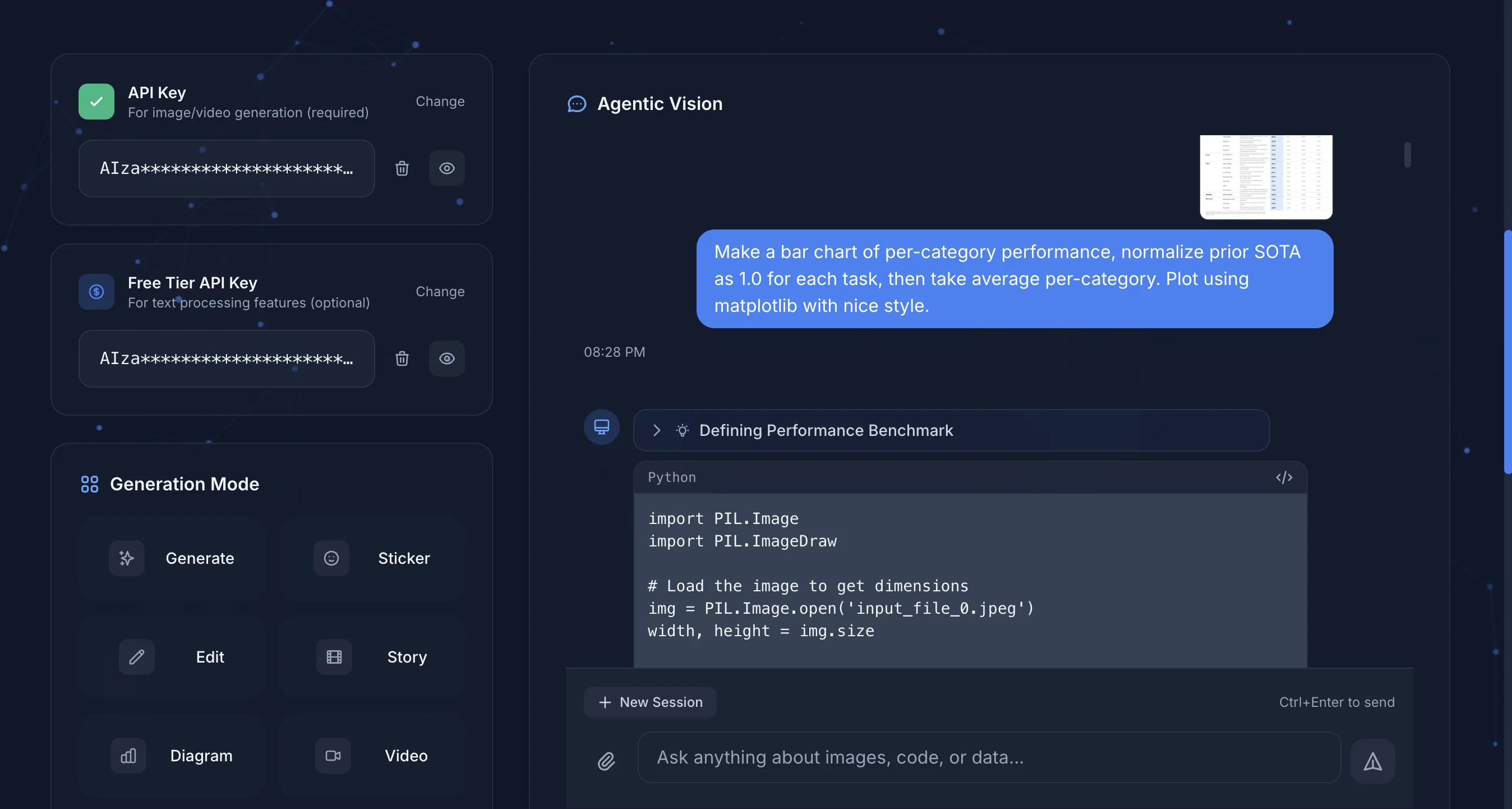
The AI automatically executes Python code to analyze images based on your requests.
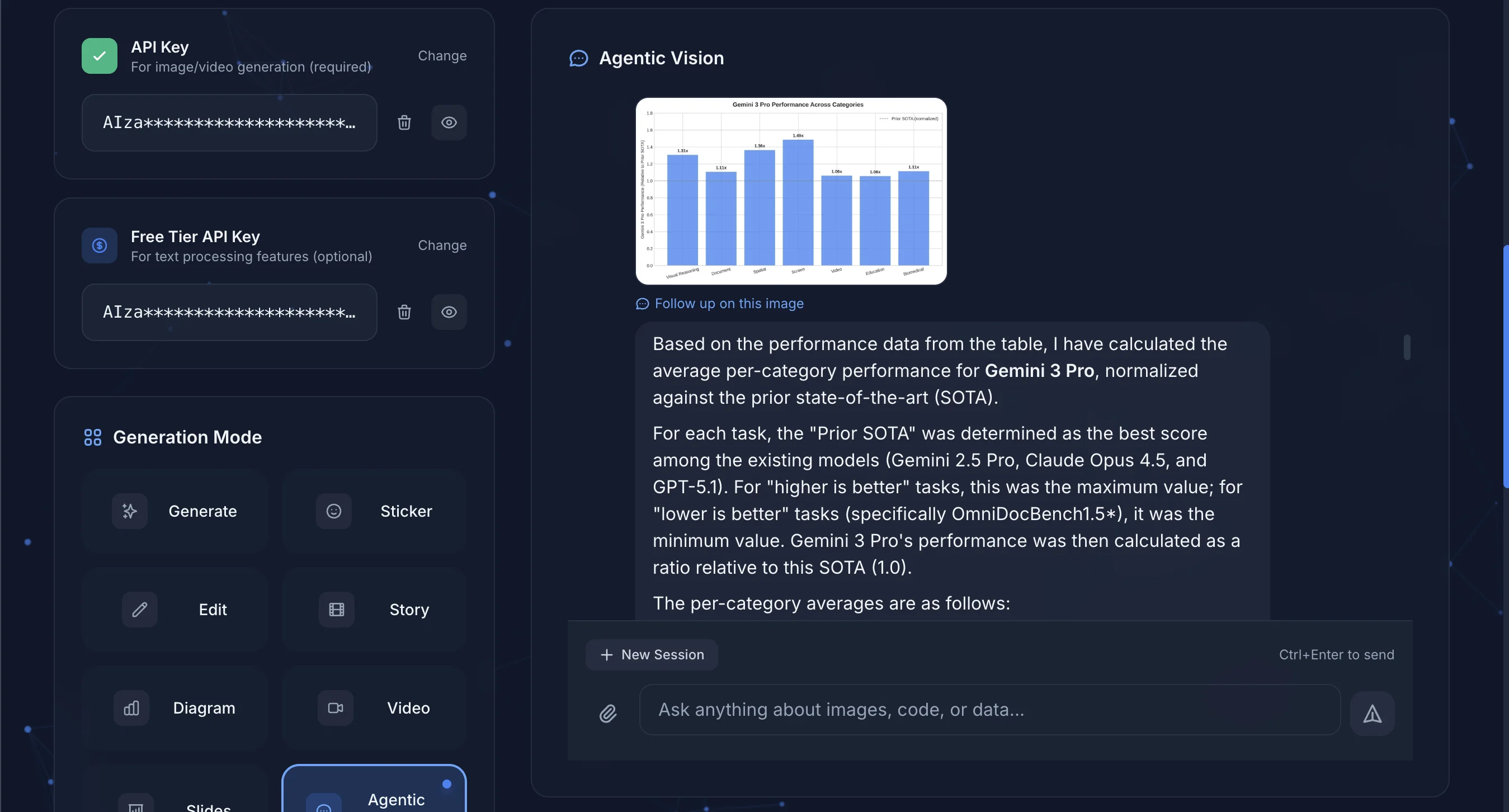
After completing the analysis, the AI presents visualizations and detailed explanations.
Conversation Settings
Context Depth
Controls how much conversation history the AI can "remember" (1-10):
- 1-3: Suitable for simple Q&A, saves tokens
- 5 (default): Suitable for general conversations
- 10: Suitable for complex multi-turn analysis
Include Images in Context
When enabled, the AI references images from previous conversation turns in each response. This helps with:
- Comparing different images across turns
- Multi-angle analysis of the same image
Note
Including images consumes more tokens. Consider disabling when image reference is not needed.
AI Thinking Process
While the AI responds, you can see a "Thinking" expandable section. Click to view:
- The AI's reasoning process
- Planned execution steps
- Code execution results
This helps you understand how the AI reached its answer, increasing trustworthiness.
Code Execution
When the AI executes Python code, it displays:
- The complete code content
- Execution results (text output or images)
Code runs in Google's secure sandbox and supports common data analysis packages like NumPy, Pandas, Matplotlib, etc.
Conversation Management
Start New Session
Clicking "New Session" will:
- Clear current conversation content
- Reset conversation context
- Auto-save the previous conversation (if it has content)
History
Each conversation is automatically saved to history, including:
- Conversation thumbnail (first image)
- Conversation summary (first 200 characters of the first message)
- Message count
- AI's thinking process
Use Cases
Data Analysis
Upload images containing data (tables, charts, reports) for AI analysis:
Please analyze this sales report, calculate the total sales
for each product, and present the proportions in a pie chart
Image Processing
Ask the AI to process or annotate images:
Please mark all emergency exits on this floor plan
and calculate the shortest distance from the farthest room to an exit
Educational Assistance
Upload problem images for detailed explanations:
Please explain this math problem step by step,
drawing diagrams where needed
Pricing
Agentic Vision Mode uses the Gemini 3 Flash model with token-based pricing. Enabling code execution slightly increases token usage due to transmitting code and results.
Cost-Saving Tips
- Reduce context depth to lower token usage per request
- Disable "Include Images in Context" when image reference is not needed
Official Resources
Next Steps
- Image Generation - Generate images for Agent analysis
- History - Manage conversation records